Different cities, same scene, same laugh
When you are apart, ScreenParty lets you press play together and talk while you watch — from a phone or a computer, without anyone installing anything.
Create a room — free Schedule one for later
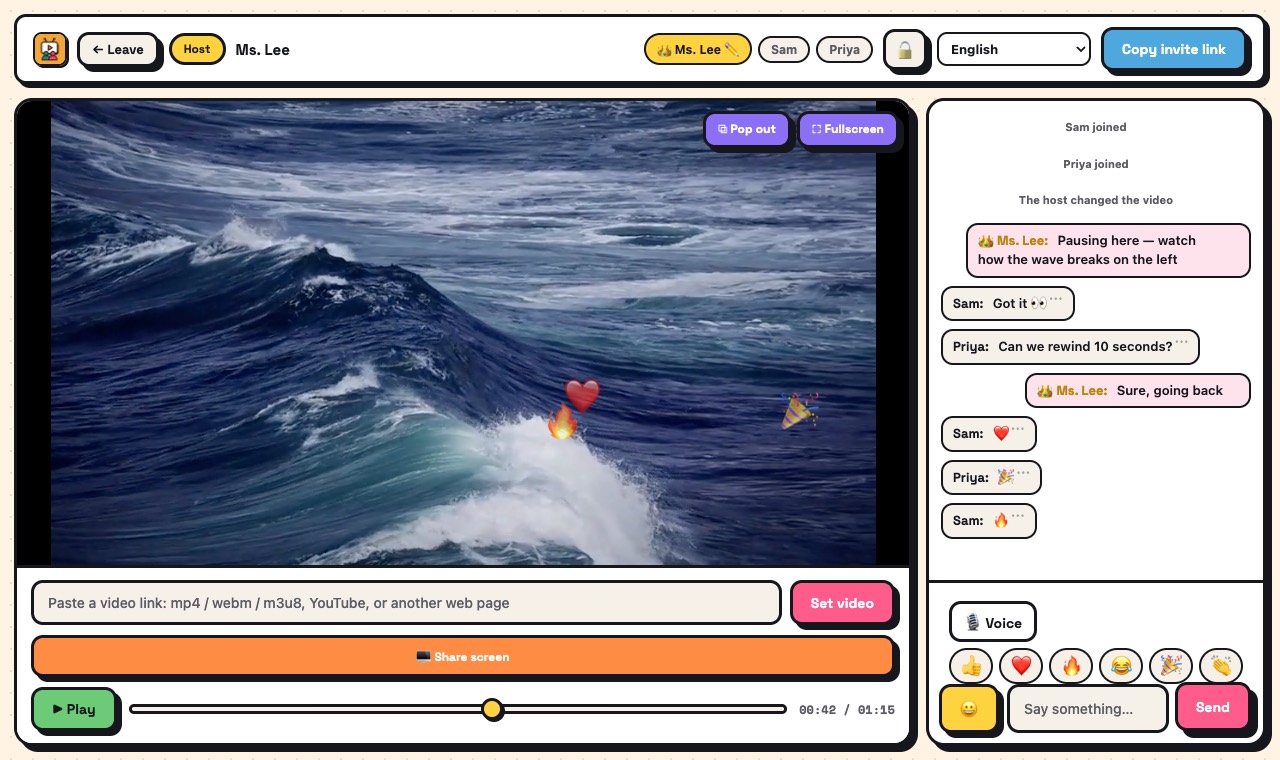
How it works
- One of you creates a room and pastes a video link.
- Send the invite link in your usual chat app.
- The other opens it in the browser — no account.
- Turn on voice and watch: pause, rewind and react together.
What you get
- Synced play, pause and seek
- Voice chat while you watch
- Floating reactions
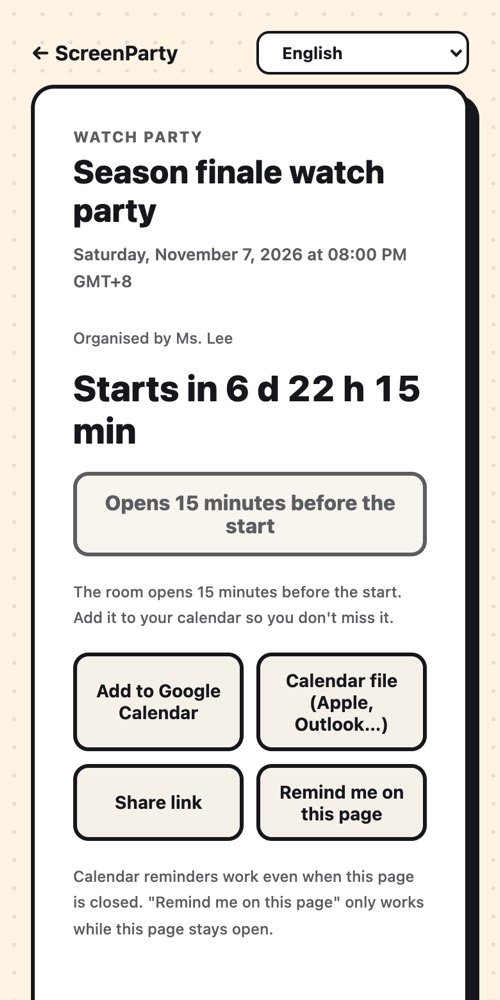
- Interface in 12 languages, and each person sees their own time zone
- Schedule a movie night and add it to both calendars
Good to know
- Sync works with direct video links and public YouTube videos. Paid streaming services cannot be synced.
- Voice goes directly between your devices; on difficult networks it is relayed through our server, encrypted. Very poor connections can still drop.
What it isn't
- Not a video call: there is no camera picture.
- Not a streaming service: we provide no videos.
Questions
Do we both need to install something?
No. A phone or computer browser is enough.
Is the conversation recorded?
No. Voice and screen sharing are never recorded or stored.
Does it work across countries?
It is designed for it: there is a relay server for networks that block direct connections. Your connection quality still matters.
Ready? It takes a few seconds.
No account, no extension, no app to install.