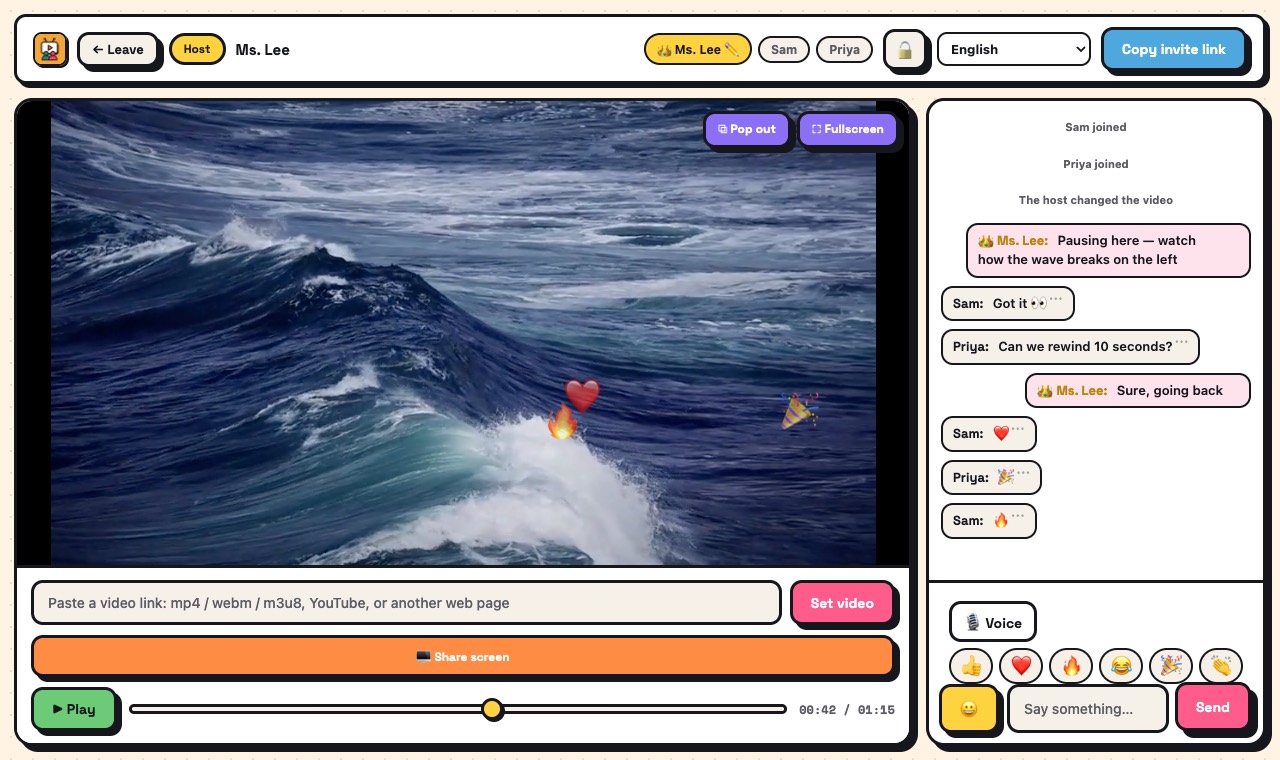
Just ask: "Make a watch-together room for lesson 3"
If your AI assistant supports MCP connectors, add ScreenParty once. From then on it can create rooms, scheduled watch parties and branded class links for you — with your video already loaded — and hand you the link to share.
Create a room — free Schedule one for later
How it works
- In your AI assistant, find the place to add a custom connector or MCP server.
- Paste this address: https://screenparty.huitongdesk.com/mcp — no account or key needed.
- In some assistants it is under "+" → "Add custom connector"; free plans may allow only one custom connector.
- In others you first turn on a "Developer mode" in the connector settings, then create a connector with this address and no authentication. Which plans include it differs by app, and menus move — look for "connector" or "MCP".
- Then ask in plain words, e.g. "Make a ScreenParty room for Saturday 8 pm with this video: …" or "Make a branded link for my class Ms. Lee's English".
What you get
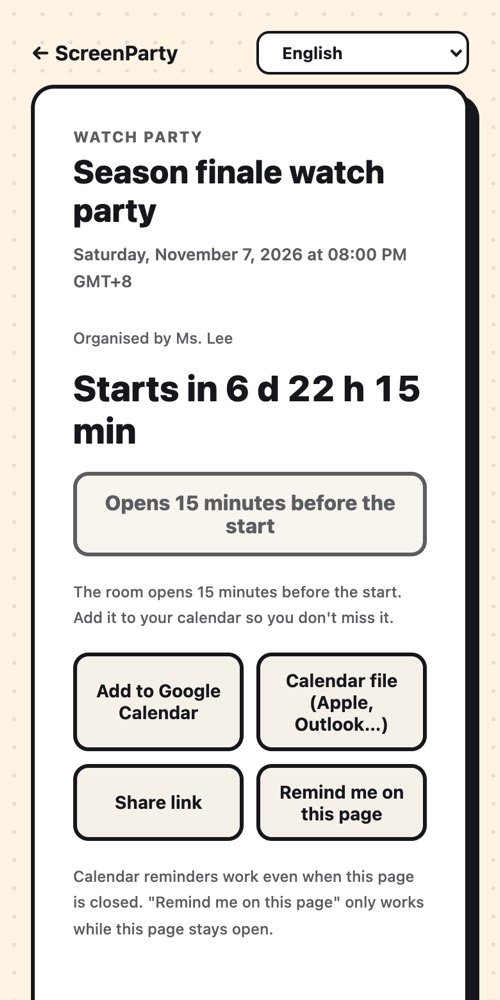
- A room that opens now, or a scheduled watch party with a countdown page and calendar buttons
- A branded link for your class or community (add a logo, background and QR poster later from the edit link)
- Your video already loaded when the room opens
- Works with any assistant that supports remote MCP over HTTP
Good to know
- We do not run any AI. Your own assistant decides when to call ScreenParty; what you type to it is handled by that assistant's provider under their privacy policy.
- ScreenParty only receives what the tool needs: the title, time, video link and page name.
- Assistants can misunderstand — open the link before sharing it. Whoever opens a new room first becomes its host.
- Same limits as the website: direct video links and public YouTube videos sync; paid streaming services cannot.
What it isn't
- Not an AI product: ScreenParty does not read your chats or see your conversations with your assistant.
- Not a way around the room limits: rooms hold 4, or 10 with PRO.
Questions
Does it cost anything?
Connecting is free. Your assistant's own plan may limit custom connectors.
Which assistants work?
Any that can connect to a remote MCP server by URL. We tested with the official MCP client; menus in each app change over time.
Can the assistant change or delete my pages?
No. It can only create new rooms and links. Editing a branded page needs its private edit link.
Ready? It takes a few seconds.
No account, no extension, no app to install.